
بِسْمِ اللَّٰهِNow on Google Play
Your partner in spiritual & all-round growth
Plan your day around your prayers and goals, take a few quiet minutes to reflect each evening, and grow with a circle that keeps you consistent. No pressure, just support.

Marhaban
One calm place for the habits that matter most
Rifaaq brings your salah, your goals, your daily reflection and the people who keep you going into one gentle daily rhythm.

Plan your day, your way
Prayers, goals and to-dos together, on your own schedule.

Describe a goal, get a plan
Say it in your own words and Rifaaq suggests the daily tasks.

Become mindful, every day
A few quiet minutes of Tadabbur to reflect on your day.

Grow with a circle
Invite friends as accountability partners and keep each other consistent.
Tasks & routines
Plan your day, your way
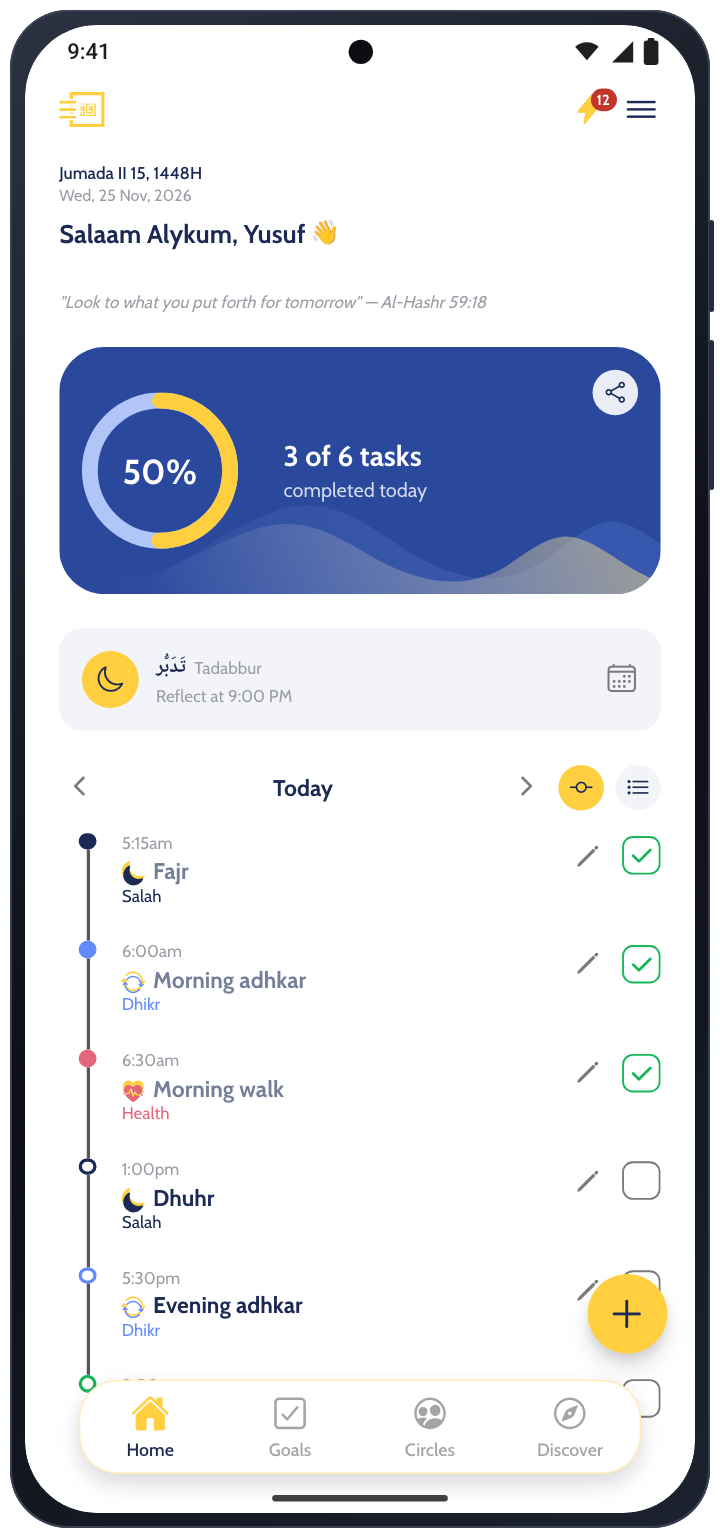
Build a flexible daily rhythm. Your prayers, Qur’an, adhkar, health and work sit side by side on one timeline, so your day takes shape around what matters.
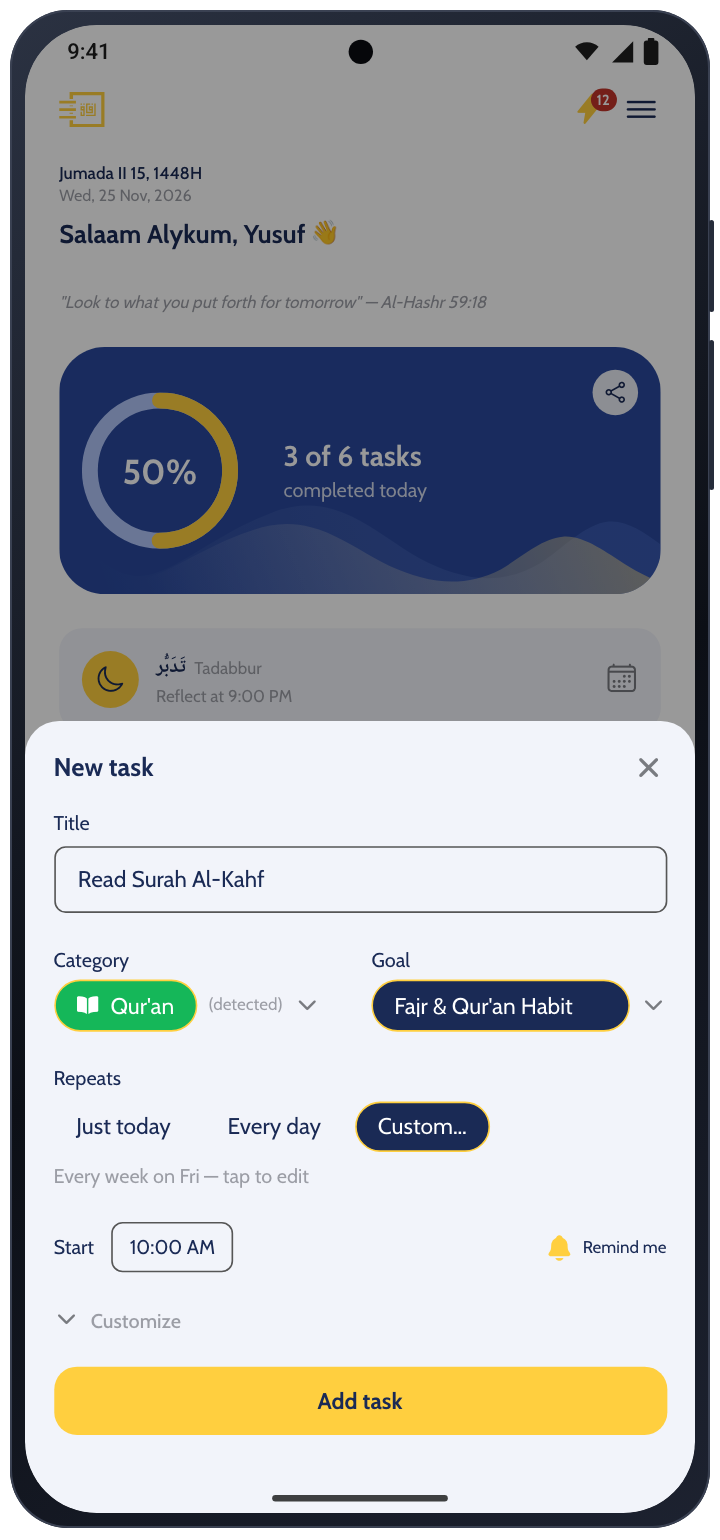
- Give each task a time and a type: Salah, Qur’an, Dhikr, Sadaqah, Health, Learning, Work and more
- Repeat tasks every day, on chosen weekdays, or on a custom schedule
- See today as a timeline or a simple list, and jump to any date
- Start fast with ready-made starter templates, then make them your own
- Works offline, and syncs when you are back online

Goals, with AI suggestions
Describe a goal. Get a plan.
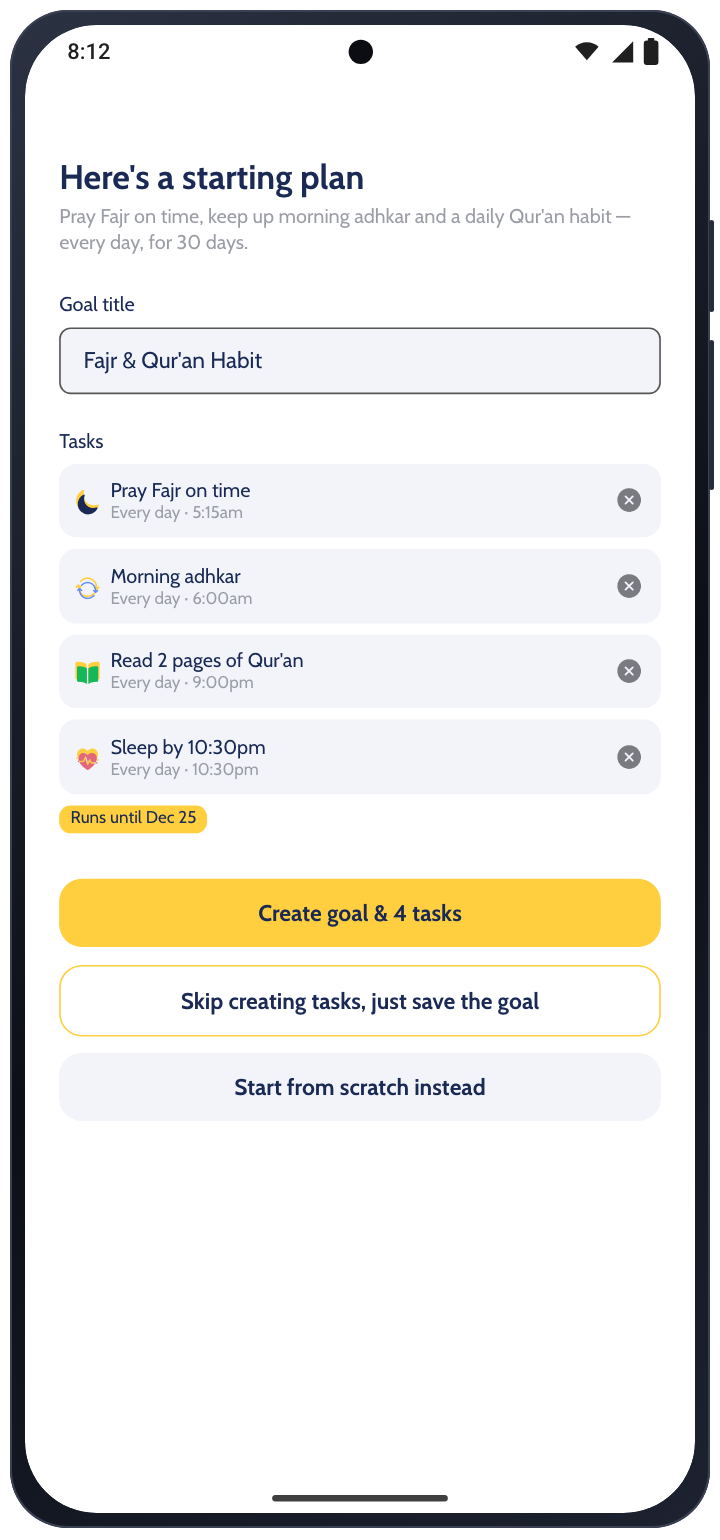
Write what you want to achieve in your own words, like “never miss Fajr and read Qur’an daily for the next 30 days”, and Rifaaq suggests the recurring tasks to get you there.
- Add an optional timeframe, such as “this Ramadan” or “30 days”
- Review every suggested task: keep, edit or remove before saving
- Prefer to plan it yourself? Start from scratch or pick a template
- Track how each goal is progressing as you complete its tasks
Suggestions are generated with Google’s Gemini AI from the goal text you enter. Read how we handle it.

Muhaasabah
تَدَبُّرTadabbur: reflection, contemplation
Become mindful, every day
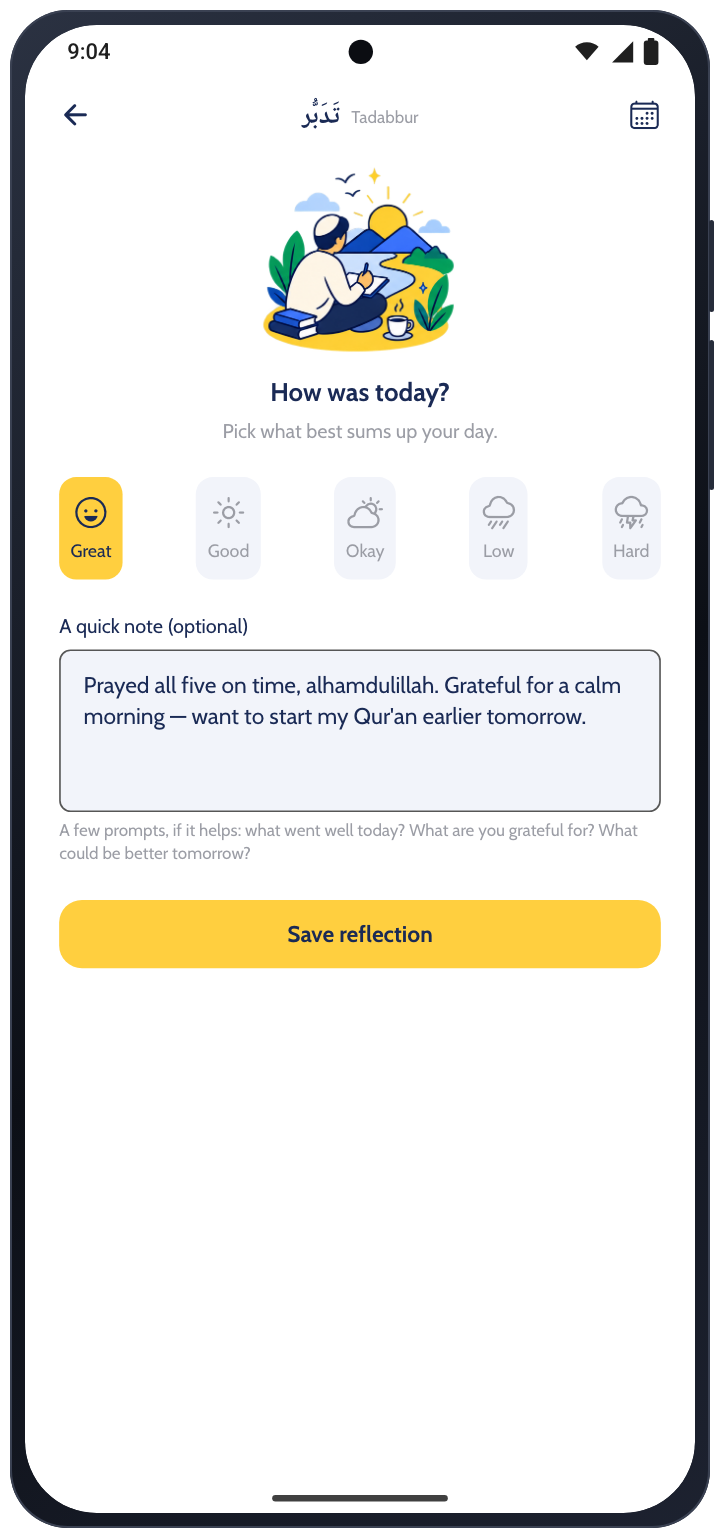
A few quiet minutes to reflect honestly on your progress and your blessings, and to grow more conscious of your own journey.
- Pick your daily reflection time and get a gentle reminder
- Gentle prompts: your progress today, your blessings, and tomorrow
- Log how the day felt, with an optional private note
- Look back on every reflection in your Tadabbur journal

Circles
الأُخُوَّةAl-Ukhuwwah: brotherhood
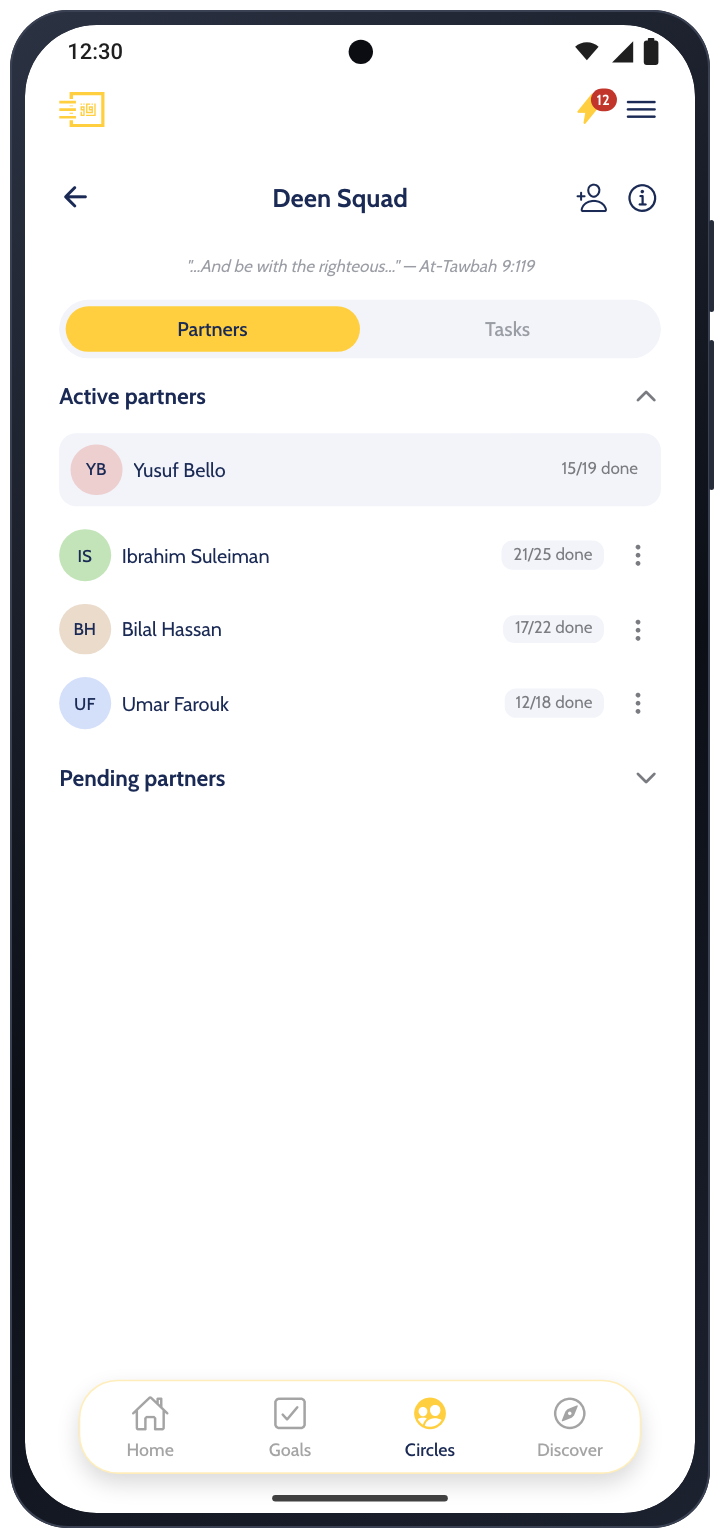
Grow with a circle
Invite a friend or family member as your accountability partner. Share your progress, celebrate wins together, and keep each other consistent.
- Create a circle and invite partners by email or a share link
- Accept or decline invites you receive
- Add shared circle tasks you work on together
- See who is in your circle and how they are getting on

Reminders
Gentle reminders, right on time
Get nudged for each task at the time you set, and mark it done straight from the notification. Your evening reflection reminder arrives on schedule too.
- Per-task reminders, on by default and easy to switch off
- “Mark done” right from the notification
- A daily reminder for your Muhaasabah, at the time you choose
- Watch your streak and consistency build over time


How it works
Small, steady steps
The way lasting habits are actually formed. You can be up and running in a few minutes.
- 1

Get the app
Download Rifaaq from Google Play and create your account with your name and email. We send a short code to verify it.
- 2

Pick a starting point
Adopt a ready-made starter template, describe a goal in your own words, or build your own tasks from scratch.
- 3

Live your day
Reminders arrive at the times you set. Check tasks off as you go and watch your consistency grow.
- 4

Reflect and grow together
Close the day with Muhaasabah, and when you are ready, invite a partner into your circle.
“Let every soul look to what it has put forth for tomorrow.”
Is Rifaaq free?
Do I need an accountability partner?
Does it work offline?
How do the AI goal suggestions work?
Is Rifaaq on iPhone?
Do you sell my data or show ads?
How do I delete my account?

Stay in the loop
Occasional news, new features and reminders worth reading. No spam, and you can unsubscribe from any email. Privacy Policy
Build consistency that lasts
Small, steady steps, with a partner by your side. Start today, bi idhnillah.
Get it onGoogle Play